Lost in Docs — redesigning file navigation for everyday Google users
Unsolicited redesign · SaaS / Productivity · Solo · Scoped to Google Docs file management
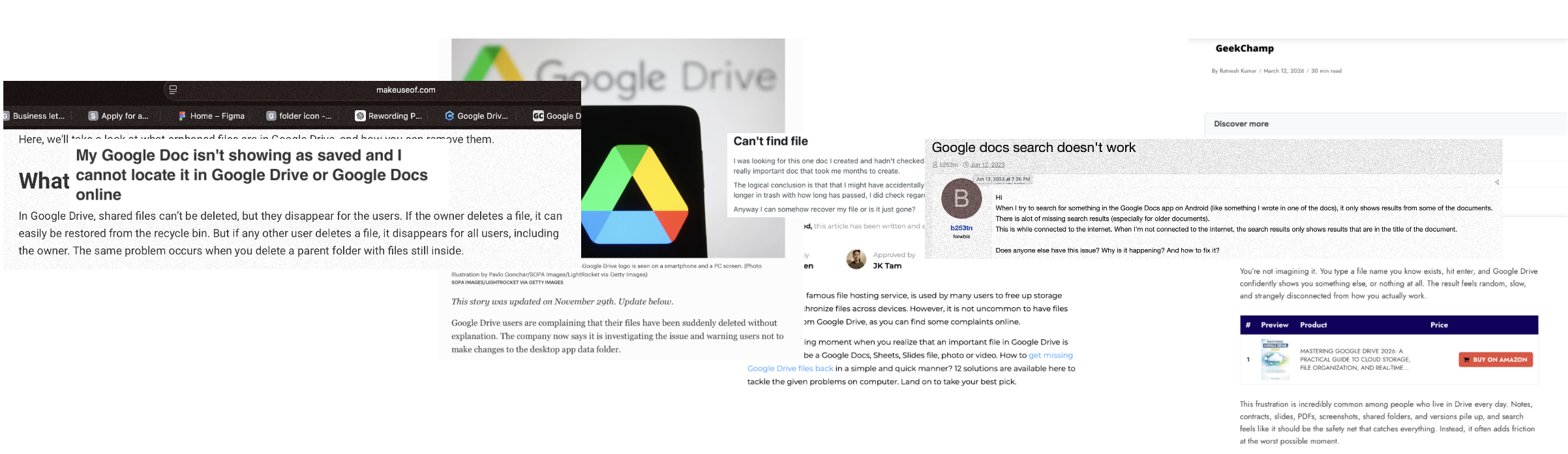
Users struggle to reliably retrieve previously created documents, especially when they cannot recall exact file names. While search is the primary retrieval mechanism, it is often inconsistent and misaligned with how users remember their work, leading to prolonged or unsuccessful searches.
This challenge is compounded by underlying file state issues: documents may be accidentally deleted, moved, or become “orphaned” (disconnected from their original folder structure), making them difficult - or impossible - to locate through standard navigation or search.
Problem Statement:
Users struggle to efficiently locate documents due to reliance on exact file names and inconsistent manual organization. As file volume increases, discoverability decreases, leading to frustration, time inefficiency, and reduced trust in the system.
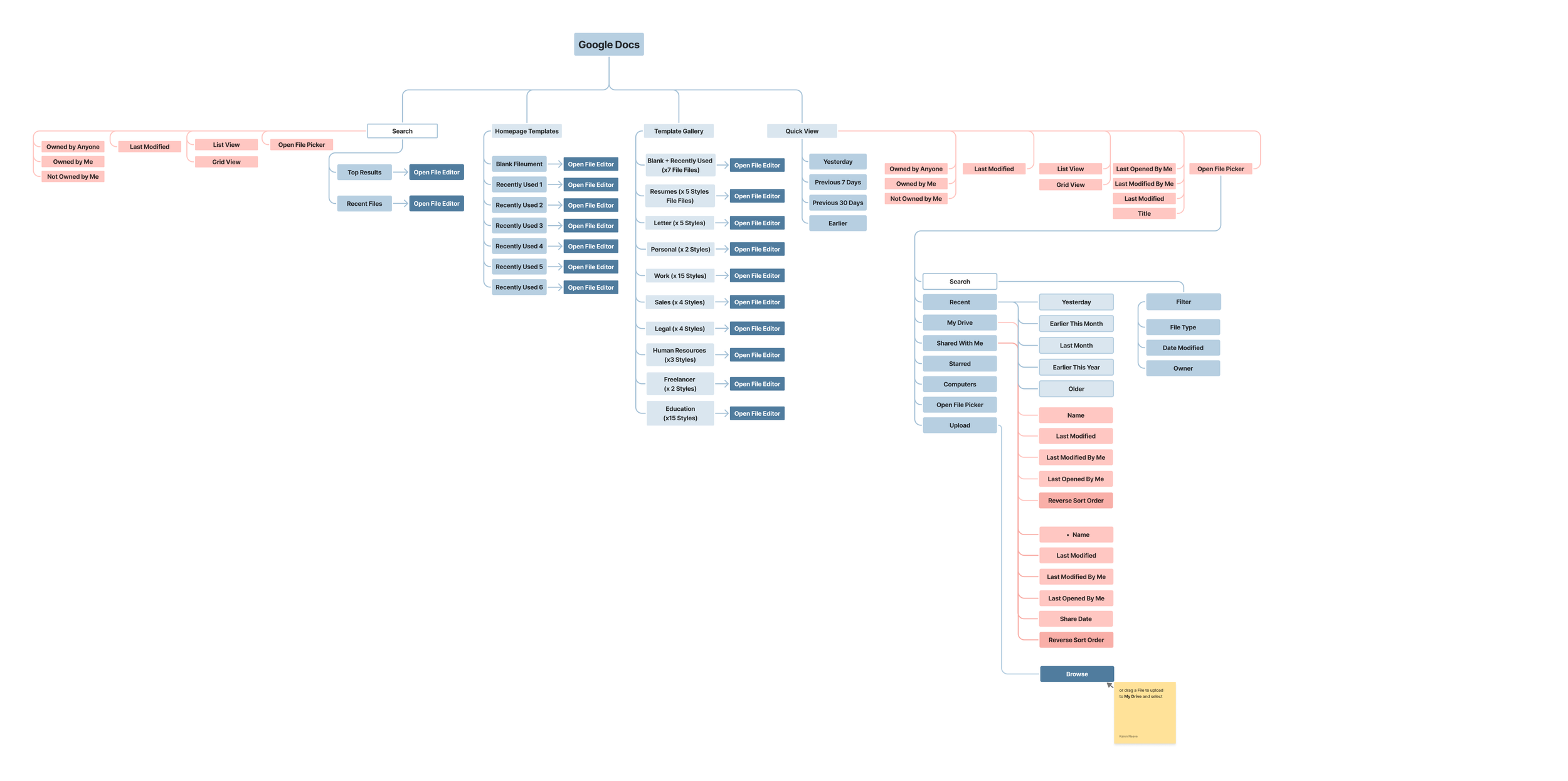
Current State (sitemap):
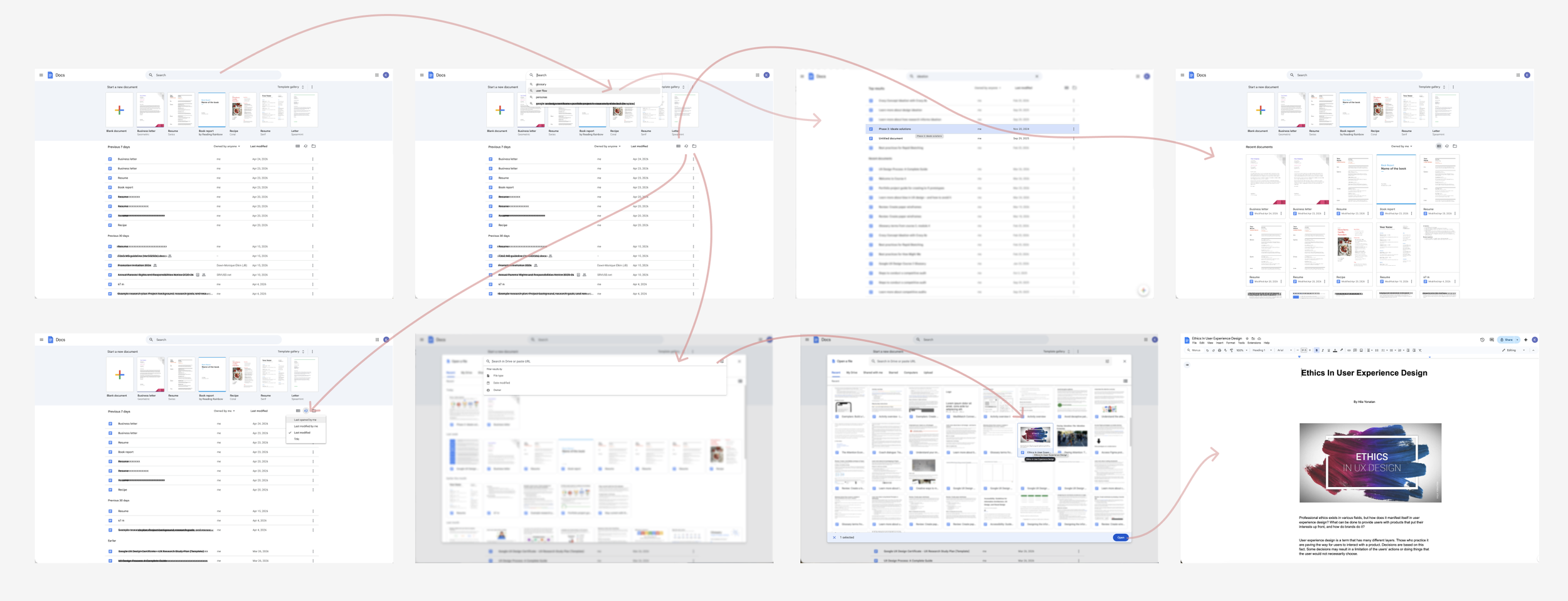
Current User Flow: File Retrieval
When attempting to locate a previously created document, users are heavily reliant on recalling the exact file name. If the file name is not remembered precisely, the system presents a limited set of fallback options (e.g., search suggestions, recent files, or filtered views).At this stage, users must rely on partial memory, guesswork, or trial-and-error to surface the desired document. While these pathways may occasionally lead to success, they often introduce friction, increase time-to-task, and create uncertainty.
In some cases, the document may not appear at all - either due to misnaming, misplacement within folders, lack of relevant metadata, or potential deletion/disconnection - further compounding user frustration and reducing trust in the system’s reliability.
Proposed Solution:
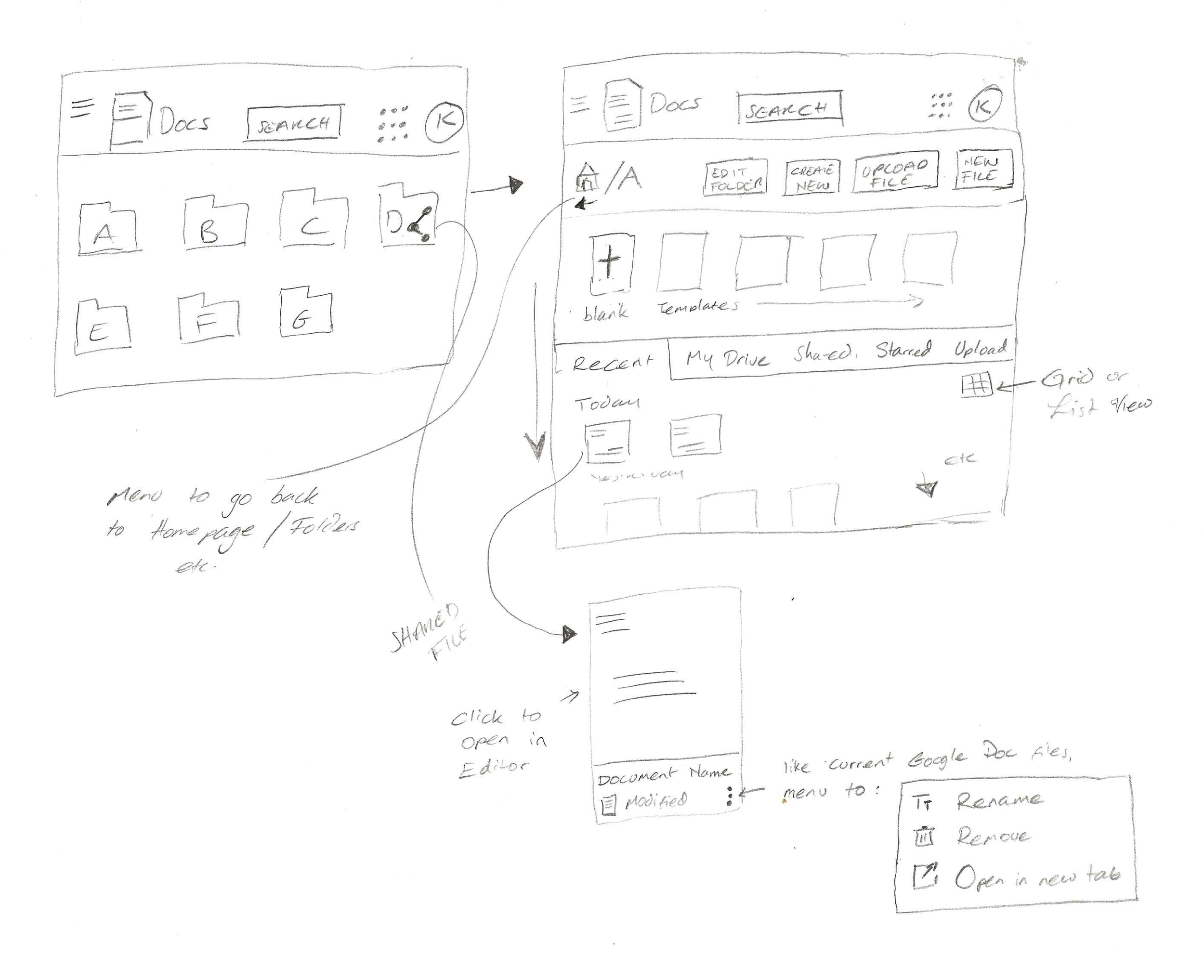
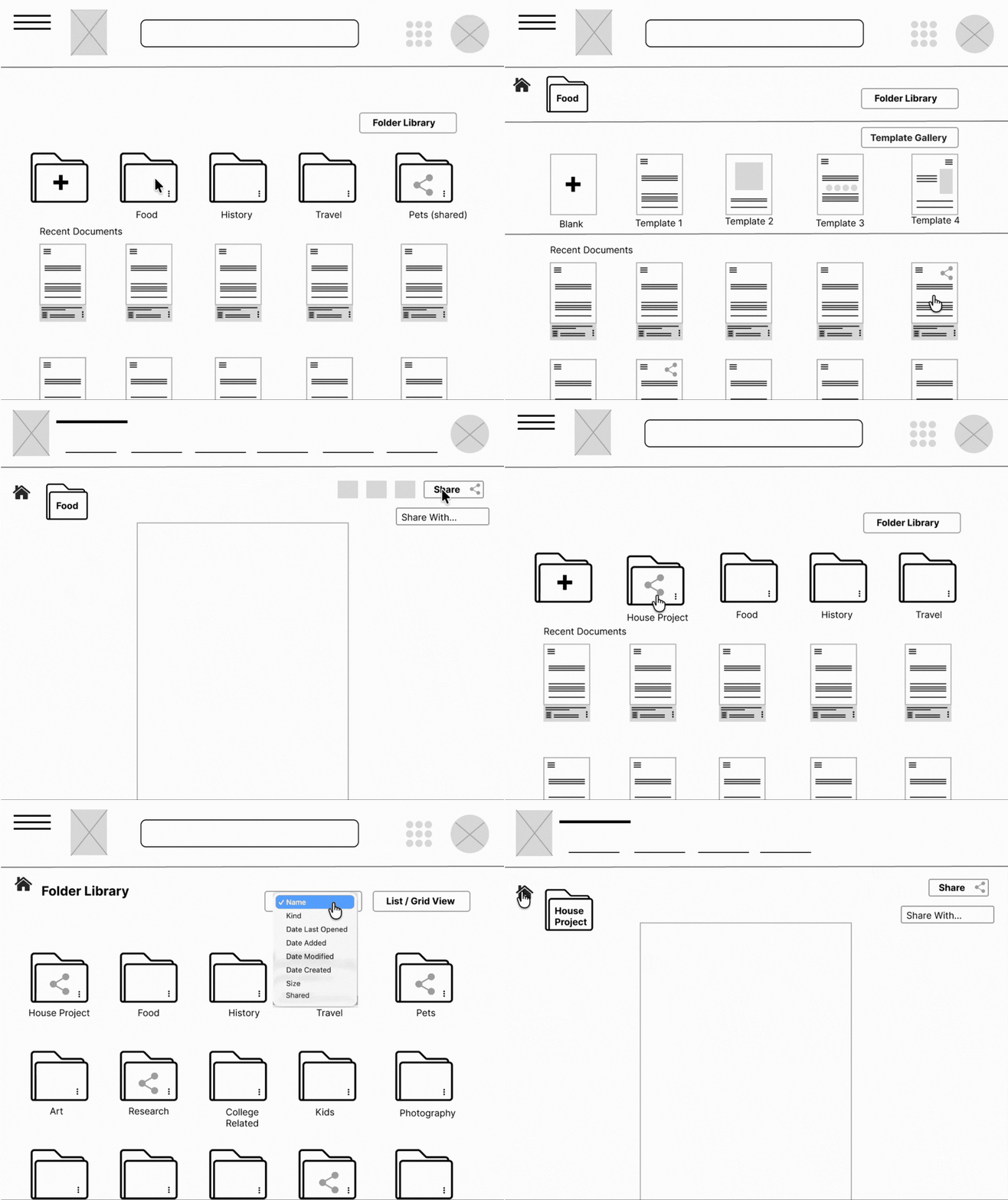
As a frequent user of Google Docs, I identified an opportunity to improve file organization through a more intuitive folder-based system.
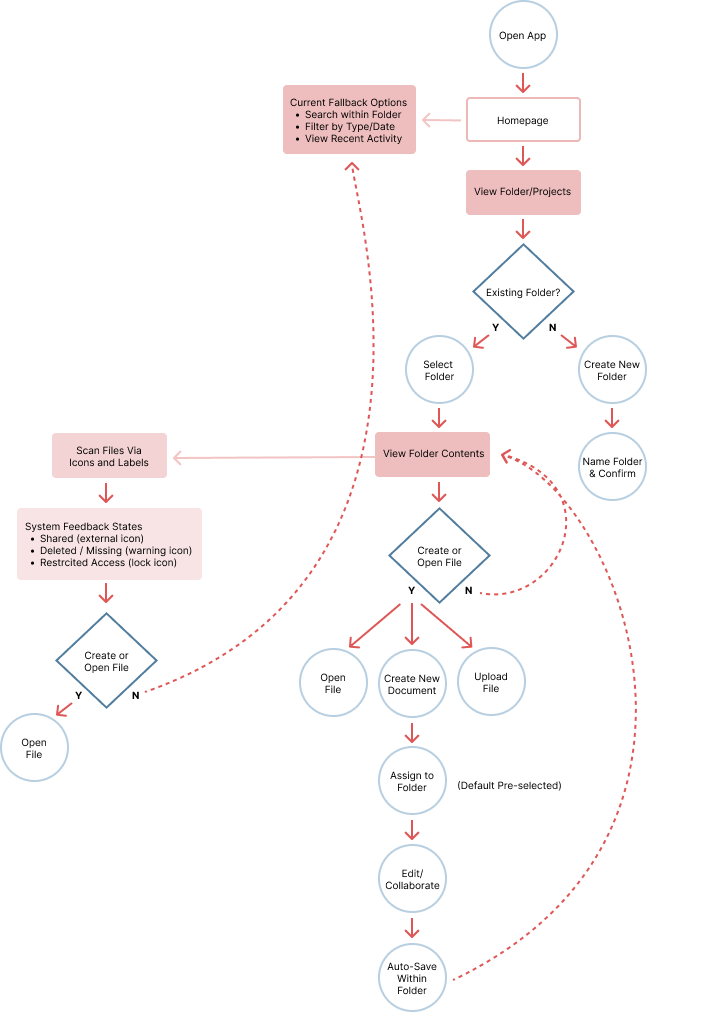
This approach introduces the ability for users to assign documents to a folder or project at the point of creation, rather than organizing retrospectively. By integrating this step early in the workflow, users can establish structure from the outset, reducing future friction when retrieving files.
Folders (or projects) would be prominently displayed on the homepage and labeled according to user-defined naming conventions. This improves information hierarchy and enables faster visual recognition of where documents are stored.
To enhance transparency and system feedback:
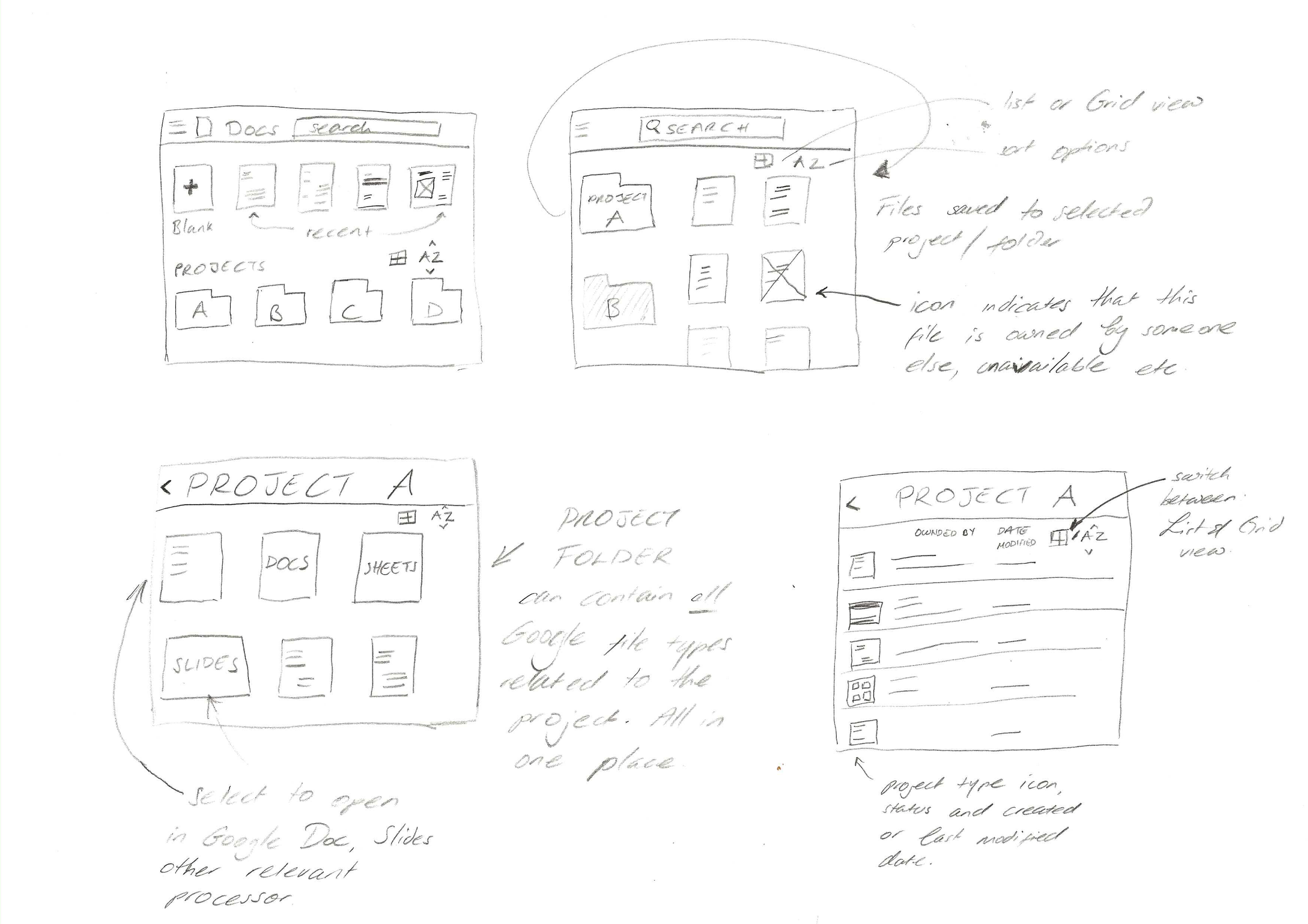
Documents within folders would display clear status indicators if they have been shared externally, removed, or are no longer accessible (e.g., deleted by the owner or disconnected).
Each file type within a folder - such as Google Sheets or Google Slides - would retain its recognizable icon, supporting quick differentiation while maintaining consistency across the ecosystem.
Overall, this system centralizes related assets, reinforces organizational clarity, and reduces cognitive load by keeping all project-related files visible and accessible in one place.
Key Features:
Folder Assignment at Creation
Users can assign a document to a folder/project immediately upon creation
Reduces need for retroactive organization and prevents file misplacement
Homepage Folder Visibility
Folders are prominently displayed on the homepage
User-defined labels improve scannability and information hierarchy
Cross-File Integration
Folders support multiple file types, including Google Sheets and Google Slides
Native icons provide quick visual differentiation while maintaining ecosystem consistency
File Status Indicators
Clear visual cues for:
Shared files (externally owned)
Deleted or unavailable documents
Access-restricted or disconnected files
Improves system transparency and reduces user confusion
User Value:
Faster file retrieval through structured organization
Reduced cognitive load and reliance on memory/search
Increased confidence in file accessibility and system reliability
Success Metrics:
Decrease in time-to-locate-file
Reduced reliance on search as primary navigation
Increased folder adoption rate at file creation
Drop in user-reported file loss/confusion issues
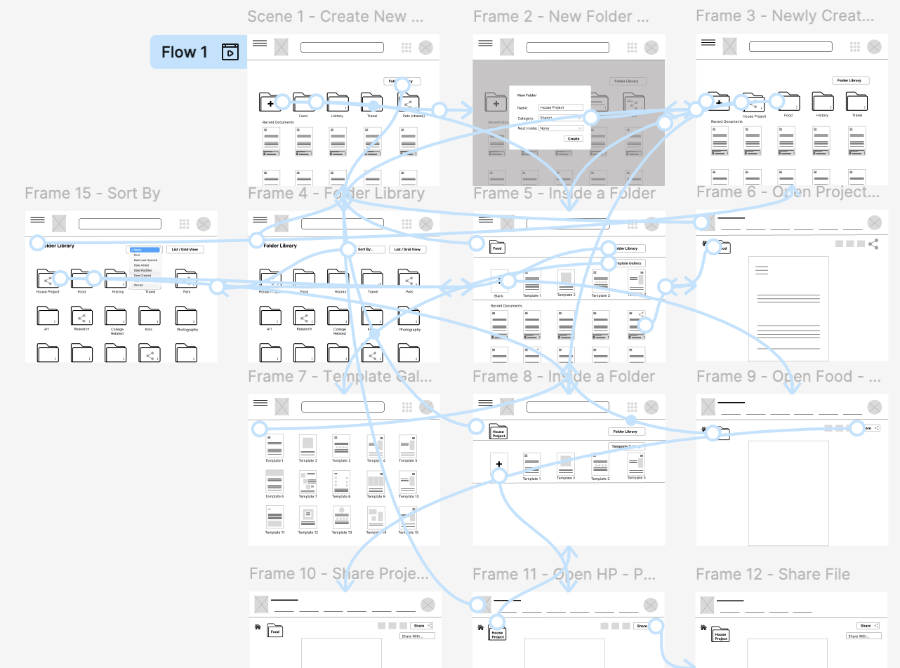
User Flow: